
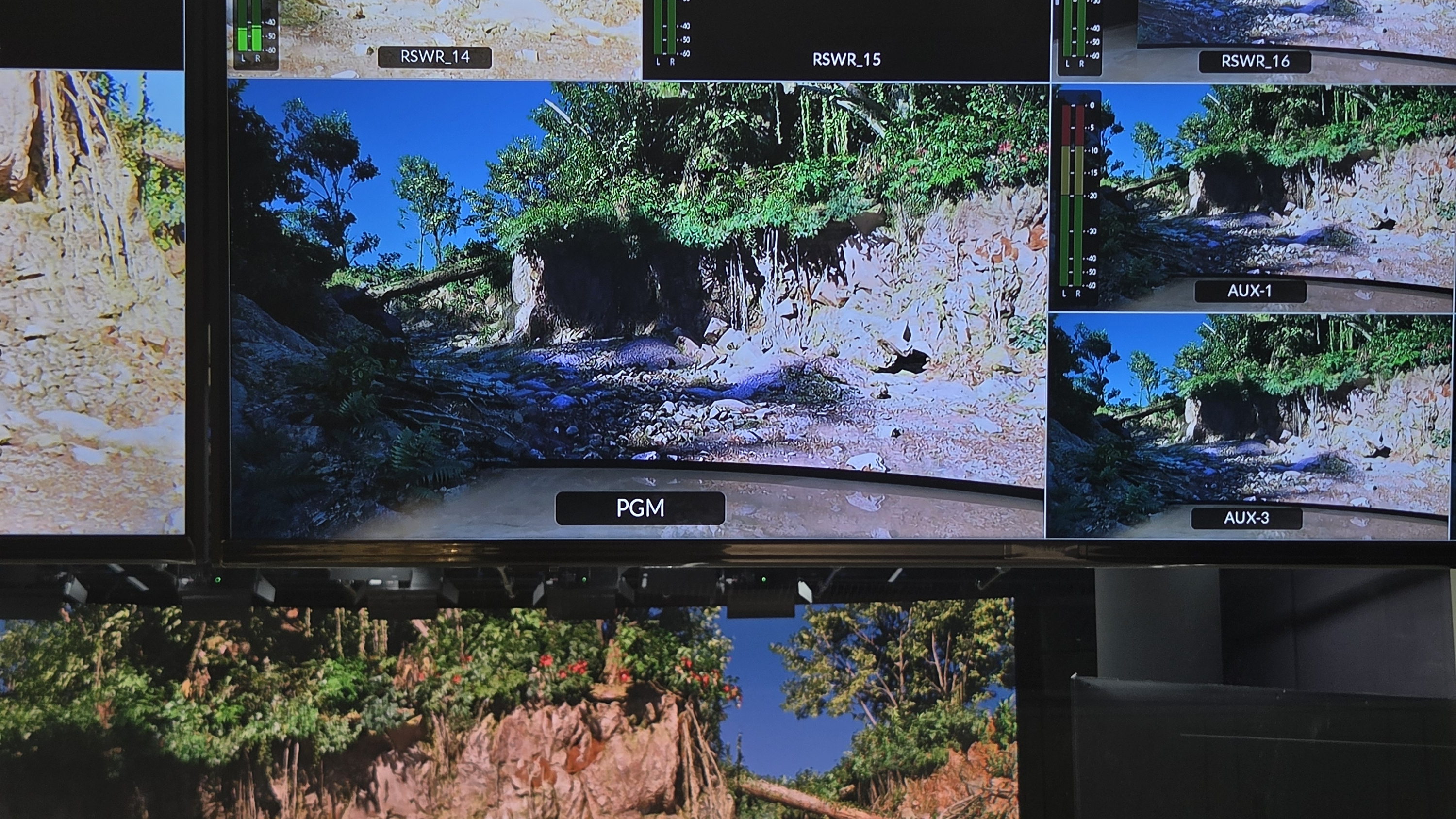
When the camera sees the limits of the studio
A desk and a well-built section of floor can be enough for a close shot. Pull the camera back and the picture may reveal the edge of the set, a small room or a wall that limits the intended design. Building a complete larger studio can add cost without changing what the presenter actually needs to touch.
Virtual set extension keeps the useful physical foreground and continues the scenery digitally. The goal is a picture that reads as one space, with a boundary the audience does not notice.
Example: a real news desk in a larger studio
For a news-desk setup, the desk and its practical floor platform can stay in the same position. The compact room around them becomes a larger virtual studio with architecture, glazing and a view beyond it. The presenter still works at a real desk, while the audience sees a deeper environment.
This approach is useful when the physical furniture and immediate performance area already work. The extension changes the apparent surroundings without requiring the entire background to be built at full scale.
Example: scenery beyond the edge of an LED wall
An LED production can retain the visible wall, stage floor and practical objects while virtual scenery continues beyond the physical display’s edges. A wider camera view can then include architecture or scenery that would otherwise require more panels or a larger physical build.
The extension must agree with the photographed wall: perspective, content, colour and the floor transition all need to match. The exact camera and rendering arrangement follows the planned shot.
How the real and virtual parts join
The production needs to define which camera-image areas remain visible and where the virtual environment takes over. In Wyvern, the Background, Media and Mask layers provide that composition workflow. A fitted mask retains the intended real area; custom geometry can follow a more specific wall-and-floor shape.
The virtual floor and retained geometry must line up with the physical space. Camera tracking then lets that relationship hold as the viewpoint changes within the prepared shot range.
Judge the join in motion
Check the widest planned view, the floor boundary and any movement past the retained scenery. Perspective and colour should stay coherent as the camera moves, rather than matching only in a single still.
Begin with the physical elements that the show needs. Build the virtual extension around them, inspect the layer views and rehearse the intended shots. That gives the crew a practical way to find a mismatch before the programme goes live.